Run RPO mandates.
Not spreadsheet gymnastics.
Software built for recruitment process outsourcing — multi-client pipelines, embedded team coordination, and reporting your clients actually want to see.
Jobs
12RPO is a different business.
Generic ATS platforms assume one employer, one brand, one hiring team. RPO providers juggle five clients, three SLA contracts, two embedded recruiters, and a board review next Thursday. Most software makes that harder, not easier.
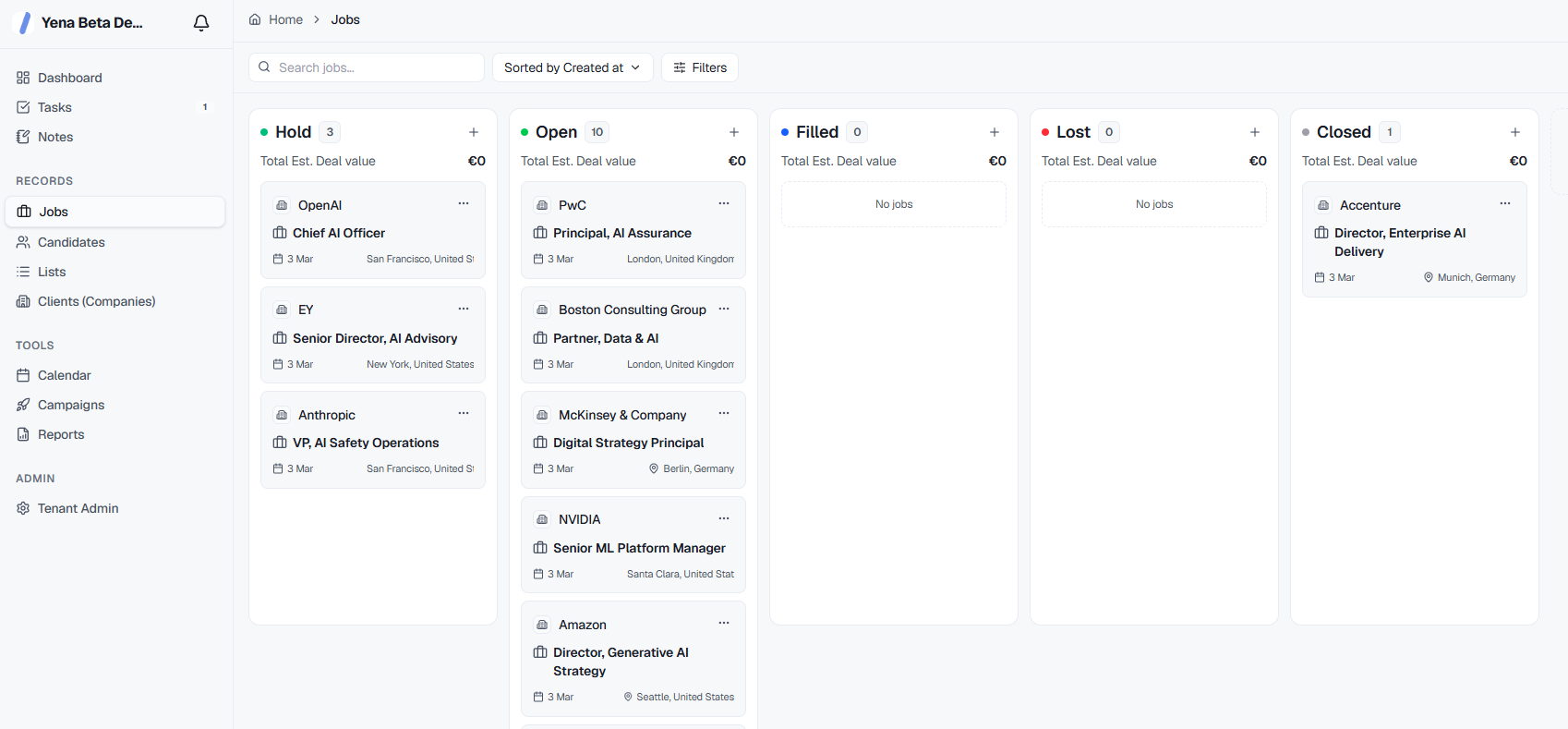
Separate pipelines for every client. One place to run them.
Each RPO engagement is its own world — different hiring managers, different job families, different SLAs. Yena gives you fully isolated pipelines per client with separate branding, access controls, and reporting. No data bleeds across accounts. No accidental visibility into the wrong client's candidates.
See all multi-client features"We run RPO for seven clients simultaneously. With our old system we had a spreadsheet per client and a shared ATS. Constant risk of data mix-ups. Yena finally solved that."
Flexible enough for one-off projects.
Structured enough for long-term RPO contracts.
Configurable per engagement
Different clients have different processes. Rename pipeline stages, set custom fields, define role categories. Yena adapts to each client's hiring framework — you don't have to standardise everything.
Metrics that matter to procurement
Time-to-shortlist, cost-per-hire, funnel drop-off, offer acceptance rate. The KPIs your clients put in the contract are the ones Yena tracks automatically. No post-processing, no formulas.
Built for sustained volume
RPO isn't one search. It's 40 roles a quarter, repeated across multiple clients, for years. Yena handles that without the system slowing down, the data getting messy, or the reporting becoming a full-time job.
Onboard a new client engagement.
In under an hour.
No IT project. No three-month configuration sprint. New client workspace, pipeline setup, team permissions, and first candidate import — done before your kickoff call ends.
"We switched from Bullhorn mid-contract with a client. Yena had us up and running — with all historical candidate data — within 24 hours. The client didn't notice a thing. That's the standard we needed."
Your clients' compliance teams will ask. Here's what you tell them.
Frequently asked questions
Each client engagement has its own isolated workspace — separate pipeline, separate candidate records, separate permissions. There's no shared candidate pool across clients by default. Your team sees everything; client stakeholders see only their engagement. GDPR consent is tracked per-client, so you're compliant regardless of how many organisations' data you're processing.
Yes. Yena tracks time-to-shortlist, time-to-offer, time-to-hire, funnel conversion rates, and offer acceptance automatically. You can set baseline targets per client, and the dashboard flags when any metric drifts outside agreed parameters. No more building SLA reports manually before client reviews.
Client-facing reports are generated from live pipeline data and can be shared as a branded link or PDF. You control what data is visible to the client. We don't support full custom domain white-labeling today — Yena branding appears alongside yours. If deep white-labeling is a hard requirement for your contracts, it's worth discussing with our team.
In RPO, you're both a data processor (acting for each client) and often a data controller (for your own talent pool). Yena handles both. Each candidate record stores consent status, the purpose of processing, and the client context. Right-to-erasure requests can be processed per-client without affecting records in other engagements. Your DPA documentation is supported by Yena's SOC 2 Type I certification and EU-hosted infrastructure.
You assign team members to specific client workspaces. A recruiter working exclusively on one client sees only that client's data. A delivery lead overseeing all accounts sees across all workspaces. Client hiring managers get a separate collaborator role — they can review candidates and leave feedback without accessing your internal notes, source data, or other engagements.
That's exactly the scenario Yena handles well. Adding a new client engagement takes minutes — workspace setup, permission configuration, pipeline customisation. There's no per-workspace fee structure that penalises growth. Pricing is per seat on your team, not per client account. If you're projecting rapid growth, talk to us about enterprise licensing.
Evaluating RPO software? Read this first.
The honest guide to picking an ATS for outsourced recruiting — what RPO-specific features actually matter, and what's just marketing.
Read the buyer's guide