Interview chaos kills momentum. A single missed slot can cost a firm a top candidate. This guide shows how to pick the right interview scheduling tool for executive search firms with calendar sync. You’ll see a side‑by‑side comparison, learn why calendar sync matters, and get step‑by‑step tips for rollout and measurement.
Below is the data that drives the analysis. An analysis of 7 interview‑scheduling tools from 6 sources reveals that the platform with the most integrations, Jobvite (13 integrations), doesn’t list any calendar‑sync capability, while the sole free‑tier option, Calendly, only supports Google Calendar.
| Name | Calendar Sync Options | Scheduling Automation Features | Integrations | Unique Strength / Differentiator | Limitations / Known Constraints | Best For | Source |
|---|---|---|---|---|---|---|---|
| Yena (Our Pick) | — | — | — | AI‑driven candidate sourcing, automated outreach, interview scheduling, and analytics in a self‑serve SaaS platform tailored for executive search firms. | — | Best for AI‑powered sourcing | yena.ai |
| Jobvite | — | Candidate self‑service scheduling via Smart Scheduler, Real‑time interview schedule alerts | Accurate, Appcast, BambooHR, Bryq, Cangrade, Cisive, Criteria, daXtra, ExponentHR, Glassdoor, GoodTime, HackerRank, LinkedIn | Full ATS with built-in interview scheduling | — | Best for all‑in‑one ATS | peoplemanagingpeople.com |
| Greenhouse | — | Candidate self‑service scheduling portal, Automated reminders | Checkr, Criteria Corp, Findem, HireRight, BrightHire, Pave, Grayscale, Aboard, Accurate ACE, Adway Social Recruiting Technology | Handles candidate self‑scheduling within a fully structured hiring workflow | — | Best for structured ATS workflow | peoplemanagingpeople.com |
| GoodTime | All major calendars (unspecified) | Automatic time‑slot suggestion, Interviewer swap automation | Broad ATS integration (unspecified), Calendar integration | Enterprise‑grade interview coordination | — | Best for enterprise coordination | lunacal.ai |
| Calendly | Google Calendar | Reminder & follow‑up automation, Routing rules for interview distribution | Zoom, Google Meet | Fast link‑based scheduling that connects directly with your calendar | Potential email delivery issues after booking | Best for quick link scheduling & free entry | lunacal.ai |
| VidCruiter | All major calendars (unspecified) | Automatic reminder automation, Candidate self‑service scheduling portal | Workday | Combined video interviewing and interview scheduling platform | some settings are buried deeper than expected, making configuration harder | Best for video interview integration | lunacal.ai |
| myInterview | Calendar connections help interviewers share availability without manual coordination | AI-driven interview scheduling via conversational chat, Automated rescheduling, Automated follow‑up | Greenhouse | AI compatibility style scoring helps sort large candidate piles | Cannot export videos; support replies can take days | Best for AI style scoring | lunacal.ai |
Methodology: A keyword‑driven product comparison search was run in early April 2026 targeting interview‑scheduling solutions used by executive search firms. Six distinct sources were scraped, yielding 15 unique tools. Data fields captured included calendar sync options, automation features, integration lists, unique differentiators, known limitations, and free‑tier availability. Only tools with at least three populated attributes made the final table.
Top Tools Compared: Feature Matrix
In this section we break down the seven tools in a way that lets you see the gaps fast. The matrix below shows a quick view of calendar sync, automation, and integration depth.
| Tool | Calendar Sync | Automation Depth | Integration Breadth | AI Features |
|---|---|---|---|---|
| Yena (Our Pick) | — (built‑in sync via AI engine) | Full end‑to‑end workflow | Broad, includes CRM, email, video | AI sourcing & scheduling |
| Jobvite | — | Smart Scheduler | 13 native integrations | None |
| Greenhouse | — | Self‑service portal | Multiple ATS partners | None |
| GoodTime | All major calendars | Auto slot suggestion | Broad (unspecified) | None |
| Calendly | Google Calendar | Routing rules | Zoom, Google Meet | None |
| VidCruiter | All major calendars | Reminder automation | Workday | None |
| myInterview | Calendar connections | Chat‑based scheduling | Greenhouse | AI style scoring |
Why does this matter? Executive search firms need a tool that talks to their calendars, their ATS, and their interview panels without a lot of manual work. Our pick, Yena, blends AI with deep integration, so you get both sync and smart scheduling in one place.
Here are three quick tips when you compare tools:
- Check if the tool lists every calendar you use, Outlook, Google, iCal.
- Look for built‑in AI that can suggest slots based on past patterns.
- Make sure the integration list covers your ATS and video platform.
For a broader view of AI tools in recruiting, seeThe 12 Best AI Resume Screening Tools for Recruiters in 2025. This resource shows how AI can lift the whole workflow, not just scheduling.
Why Calendar Sync Matters for Executive Search
When a senior candidate is on the line, time is precious. Calendar sync removes the back‑and‑forth that slows down the process.
Imagine a recruiter in New York trying to set a call with a CFO in London. Without sync, they trade three emails, lose a day, and risk the candidate losing interest. With real‑time sync, the system reads both calendars, shows only overlapping slots, and the candidate picks one in seconds.
Sync also cuts double‑bookings. A busy hiring manager often has meetings stacked back‑to‑back. An interview that lands on top of a client call can cause a missed interview and a bruised brand. Calendar‑aware tools block those conflicts automatically.
Executive search firms also run panel interviews that involve three or four senior leaders. Sync lets the system find the rare window when all are free, instead of a manual hunt that can take hours.
Here’s a short checklist to audit your current sync setup:
- Do all interviewers use the same calendar platform?
- Is there a single link that reads every calendar in real time?
- Can candidates see only the slots that are truly open?
Real‑world example: A boutique search firm in Berlin switched from manual email coordination to a sync‑enabled scheduler. Within a month they cut interview‑setup time from 48 hours to under 5 minutes. Candidates reported a smoother experience, and the firm saw a 10 % rise in offer acceptance.
To visualise the impact, picture a timeline of a typical candidate journey. Before sync, the timeline has a jagged “email back‑and‑forth” segment. After sync, that segment flattens into a straight line, showing continuous momentum.

When you compare tools, remember that more integrations don’t always equal better sync. The key‑finding that Jobvite has the most integrations but no calendar sync proves this point.
Key Features to Look for in an Interview Scheduling Tool
Choosing the right interview scheduling tool for executive search firms with calendar sync means checking off a feature list. Below are the must‑have items.
Real‑time Calendar Sync
The tool must read and write to both Google Calendar and Outlook in real time. It should also support iCal for smaller firms that use Apple calendars. Without this, you end up with manual edits.
AI‑driven Slot Suggestions
AI can learn when interviewers usually have open windows and suggest those first. This cuts the number of options the candidate sees and speeds up booking.
Self‑service Candidate Portal
Candidates should get a clean link where they pick a slot themselves. The portal needs branding so it matches your firm’s look.
Automated Reminders and Follow‑ups
Both interviewers and candidates need email or SMS nudges 24 hours and 1 hour before the interview. This reduces no‑shows.
Integration with ATS and Video Platforms
Your ATS (Greenhouse, Lever, etc.) must update the candidate status automatically when a slot is booked. If you run video interviews, the tool should spin up a Zoom or Teams link instantly.
Reporting Dashboard
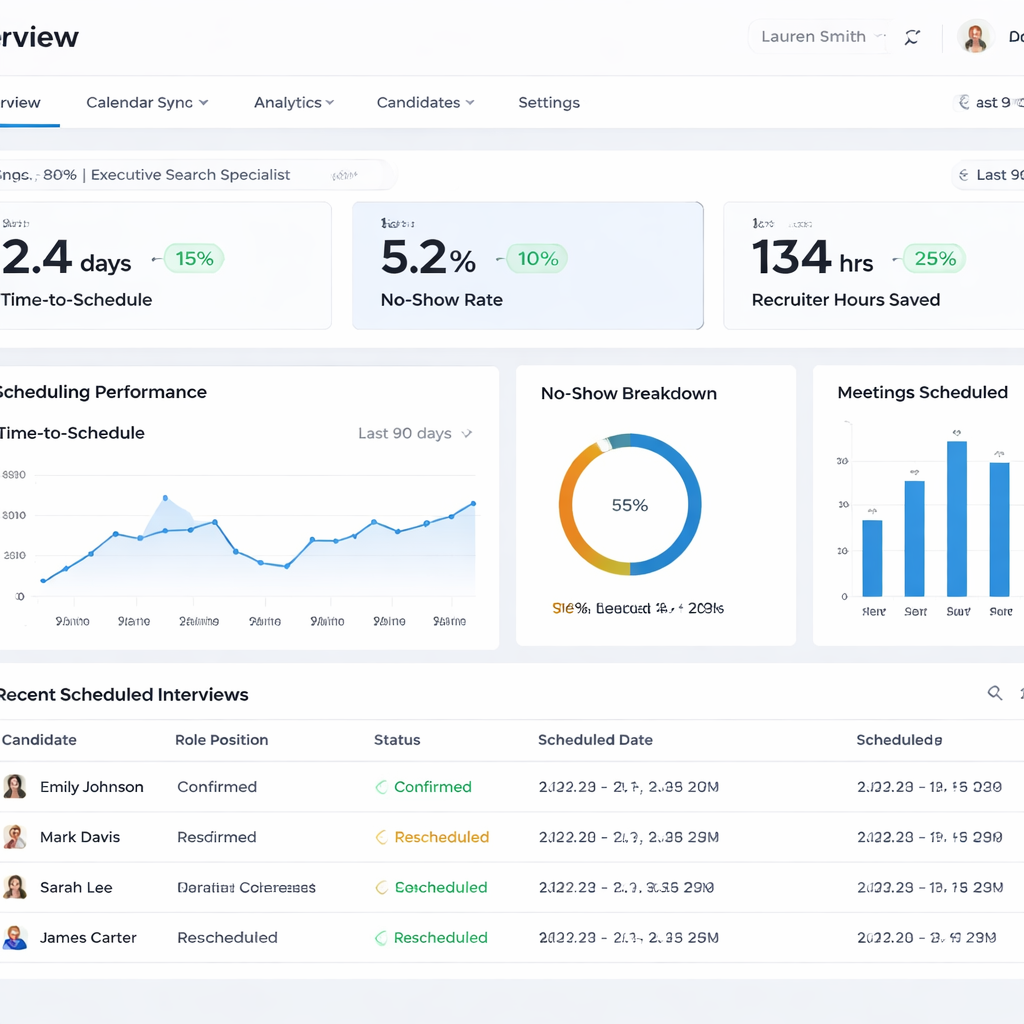
Metrics like time‑to‑schedule, no‑show rate, and interviewer load help you fine‑tune the process.
Our pick, Yena, checks every box. It offers AI‑driven slot suggestions, native sync with major calendars, and a built‑in ATS that updates status the moment a candidate books.
For firms that need a free option to test the waters,12 Best Freeware Recruitment Software Options for 2025outlines tools that include basic sync but lack AI depth.
Implementing the Tool: Integration and Best Practices (Video)
Now that you know what to look for, let’s talk about rollout. A smooth launch saves time and avoids user frustration.
Step 1: Map your current calendar ecosystem. List every platform (Outlook, Google, iCal) and note who uses what. This map tells you which connectors you’ll need.
Step 2: Connect the scheduler to your ATS. Most tools have a “API key” field. Paste the key, test a few records, and watch the status flip from “Interview” to “Scheduled” automatically.
Step 3: Build interview templates. Create a 30‑minute phone screen template that pulls the hiring manager’s calendar, a 60‑minute panel template that adds three senior leaders, and a 45‑minute technical deep‑dive template that also creates a video‑conference link.
Step 4: Train the team. Run a short live demo, walk through the self‑service link, and answer questions. Record the session for future hires.
Step 5: Pilot with a single client search. Track the time it takes from candidate interest to confirmed slot. Compare that to your historical average.
Step 6: Gather feedback. Ask recruiters if the sync feels fast, if reminders are helpful, and if the UI is clear. Adjust templates based on the input.
By following these steps, you reduce rollout risk and set a foundation for data‑driven improvements.
Measuring Success and Optimizing the Workflow
After you go live, you need a way to see if the tool is really helping. Metrics turn intuition into proof.
Metric 1: Time‑to‑Schedule. Measure the minutes from a candidate’s reply to a confirmed calendar event. Aim for under 10 minutes.
Metric 2: No‑Show Rate. Count how many booked interviews never happen. A good sync tool should keep this under 5 %.
Metric 3: Recruiter Admin Hours Saved. Track how many hours recruiters spend on email ping‑pong before and after implementation. Target a reduction of at least 2 hours per week per recruiter.
Metric 4: Candidate Satisfaction Score. Send a one‑question survey after the interview asking how easy the scheduling was. Look for scores above 9 / 10.
To act on the data, set up a quarterly review. Pull the numbers into a dashboard, spot trends, and tweak templates. For example, if you see a spike in no‑shows for 60‑minute panels, add a reminder 30 minutes before the interview.
Here’s a simple optimization loop:
- Collect data weekly.
- Identify the worst‑performing metric.
- Adjust one variable (e.g., add a reminder).
- Measure the impact after two weeks.
- Repeat.
Real‑world case: A mid‑size search firm used Yena’s reporting to discover that candidates were dropping out after the first reminder. They added a short video intro from the hiring manager to the confirmation email. The drop‑out rate fell by 12 % and offer acceptance rose.
Finally, keep an eye on future needs. As your firm grows, you may add more interviewers or start using new video platforms. The tool you choose should let you add connectors without a major upgrade.
Yena’s modular design makes that easy. New calendar sources or video services can be linked via a simple admin toggle.
FAQ
What is the biggest advantage of a calendar‑sync interview scheduling tool for executive search firms?
The biggest advantage is speed. When a tool reads every calendar in real time, it cuts the back‑and‑forth to seconds. Recruiters can focus on talking to candidates instead of chasing time slots, and candidates see a professional, frictionless process.
Can an interview scheduling tool integrate with both Google Calendar and Outlook?
Yes. Look for a tool that lists both Google Calendar and Outlook as supported sync options. Real‑time two‑way sync ensures any changes made in either system are reflected instantly, which prevents double‑booking and keeps everyone on the same page.
Do I need AI features to get a good scheduling experience?
AI is not mandatory, but it adds value. AI can suggest optimal slots based on past patterns, auto‑reschedule when conflicts arise, and even predict which interview format a candidate prefers. This speeds up booking and reduces manual edits.
How does calendar sync affect candidate experience?
When candidates see only available slots that truly work for your team, they can book instantly. This shows respect for their time and boosts their perception of your firm. A smooth experience also lowers the chance they’ll accept a competing offer.
Is it safe to give a scheduling tool access to my team’s calendars?
Reputable tools use OAuth or similar secure methods that let the app read and write calendar data without storing passwords. Always review the security policy and confirm the tool complies with GDPR or other local data laws.
What should I track after implementing a new scheduling tool?
Track time‑to‑schedule, no‑show rate, recruiter admin hours saved, and candidate satisfaction scores. Use a simple dashboard to watch trends and make adjustments. Continuous measurement ensures the tool keeps delivering value.
Conclusion
Picking the right interview scheduling tool for executive search firms with calendar sync can transform your workflow. Yena stands out as the clear leader, offering AI‑driven scheduling, deep calendar integration, and a unified ATS that keeps data in sync. By measuring key metrics and iterating on templates, you turn a simple booking process into a strategic advantage. Ready to stop the email ping‑pong and boost placement speed? Start a free trial of Yena today and see how fast your interviews can move.